Built for professionals who value privacy, accuracy, and control over their data.
🔒
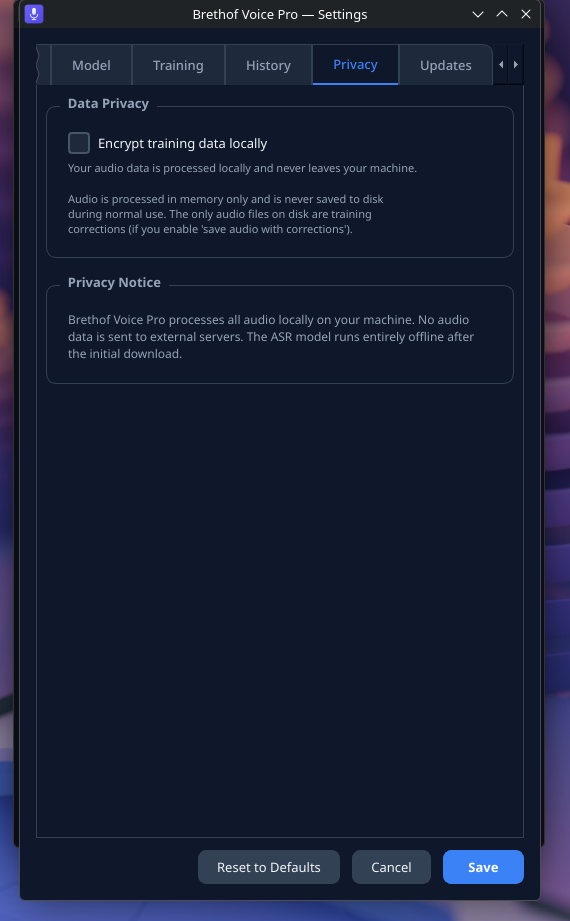
Complete Privacy
All audio processing happens on your machine. No data is ever sent to any server. No cloud account needed. Perfect for lawyers, doctors, journalists, and anyone handling sensitive information.
⚡
Real-Time Streaming Transcription
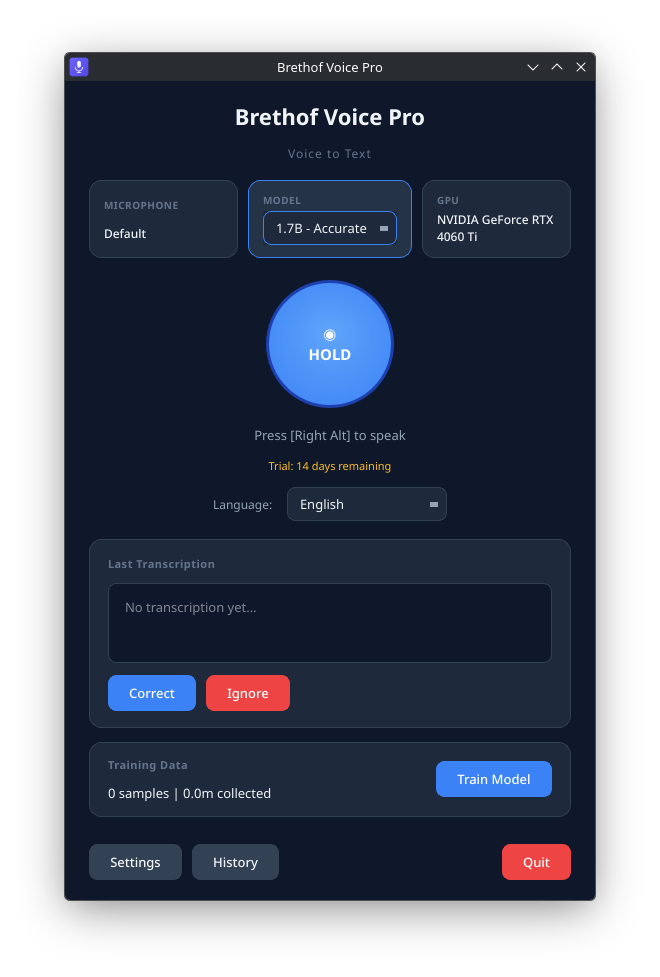
See words appear as you speak. NVIDIA GPU acceleration delivers near-instant results. Also works on CPU. Press a shortcut, speak, and text flows into whatever app you're using.
🌐
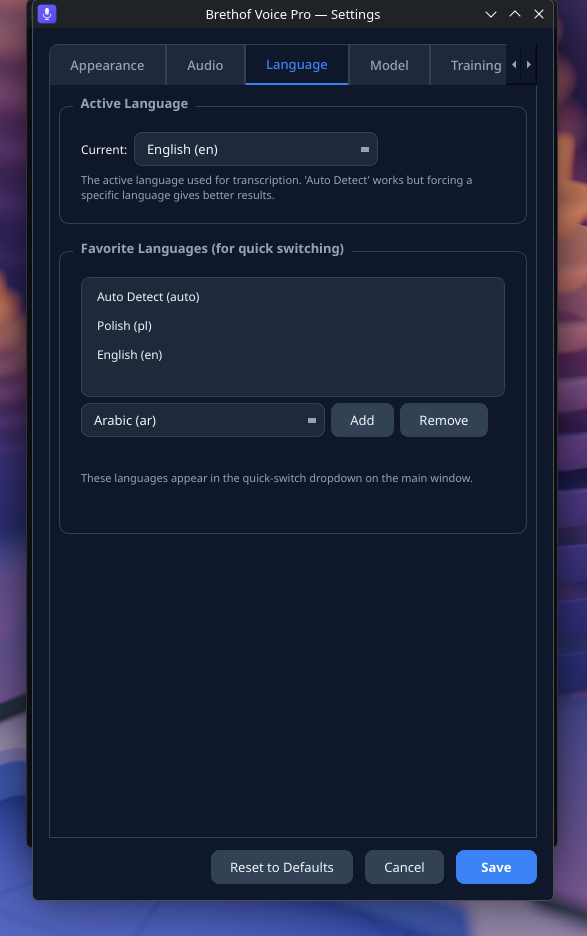
36 Languages, Auto-Detected
Speak English one sentence, Polish the next. The AI automatically detects and transcribes the correct language. No manual switching. Set favorite languages for faster detection.
🤖
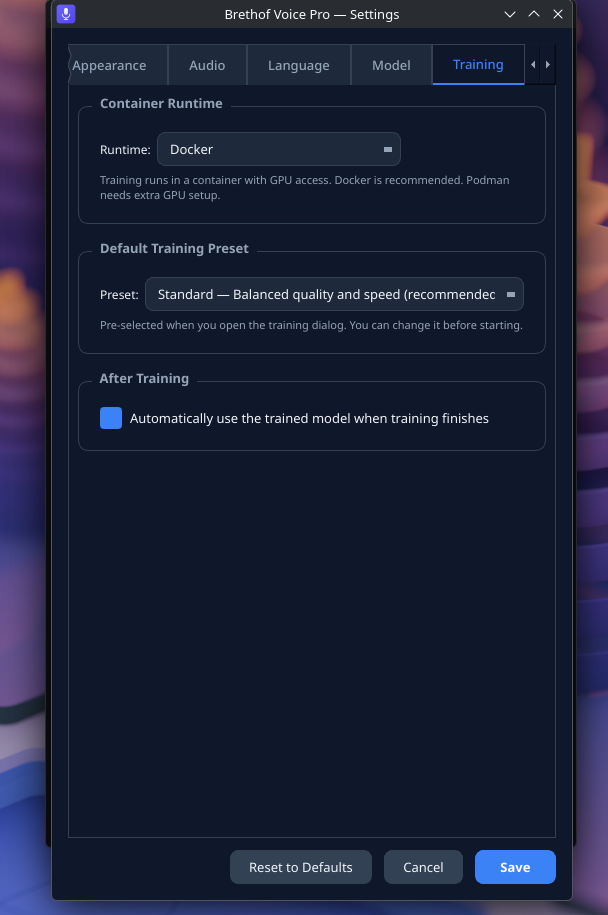
Personal Voice Training
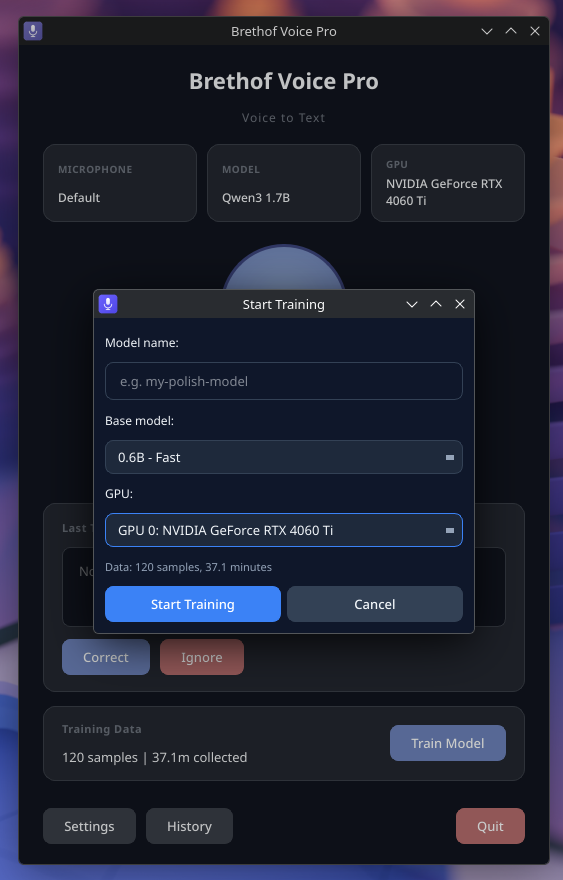
Fine-tune the AI model on your voice, accent, and vocabulary. Choose from Quick, Standard, Deep, or Full training presets. The more you use it, the better it gets. Your trained model stays private on your machine.
📚
Custom Keywords & Vocabulary
Add domain-specific terms, names, jargon, or technical words. The AI uses your keyword dictionary to dramatically improve accuracy for specialized vocabulary that standard models miss.
🎧
AI Noise Reduction
Built-in neural noise removal cleans your audio in real-time before transcription. Background chatter, keyboard sounds, fans — filtered out automatically for cleaner, more accurate results.
🔨
Two Model Sizes
Choose the model that fits your hardware. The compact model (1.8 GB) is fast and light. The full model (4.4 GB) delivers maximum accuracy. Both support on-device quantization to reduce memory usage further.
💰
No Subscription
One-time purchase. No monthly fees. No per-minute charges. No usage limits. Speak as much as you want, forever. Perpetual license — the version you buy works forever.
✈️
Fully Offline
After the one-time model download, the app works without internet forever. On a plane, in a bunker, off the grid, in a secure facility — it just works. No server dependency.
Smart Voice Detection
Automatically detects when you start and stop speaking. Filters silence and pauses intelligently.
Configurable Hotkeys
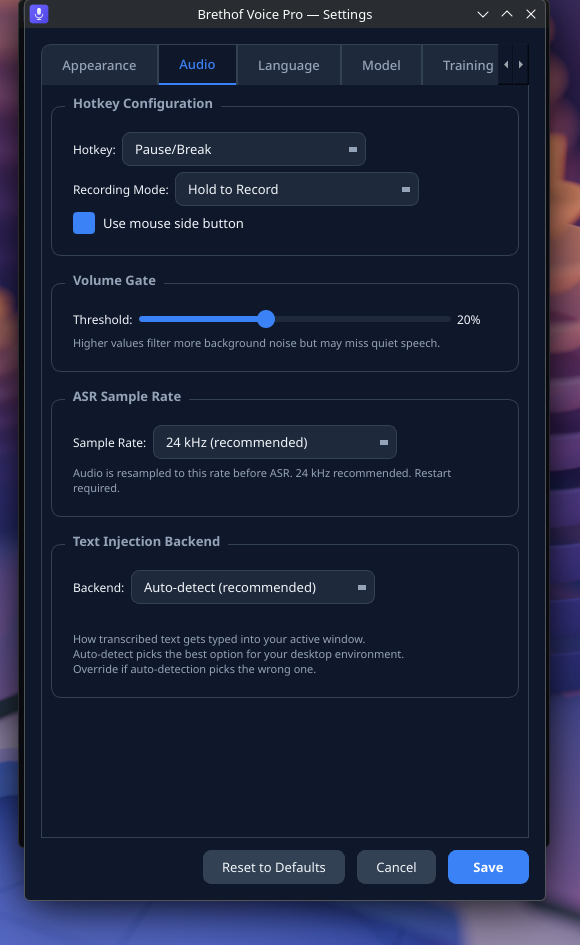
9 hotkey options including Ctrl+D, Ctrl+Shift+Space, Pause/Break, F13, and more. Hold-to-record or toggle mode.
Mouse Button Support
Use mouse side buttons to trigger recording. Great for hands-free workflows.
On-Device Quantization
Compress models to INT8 precision on your device. Uses ~35% less GPU memory with minimal quality loss.
Multi-GPU Support
Select which GPU to use. Runs on dedicated or integrated graphics. Automatic fallback to CPU.
Volume Gate
Adjustable threshold to filter background noise before it reaches the AI. Fine-tune sensitivity to your environment.
Transcription History
Review past transcriptions. Optional persistent storage with encryption. Correct mistakes to improve future accuracy.
Correction Learning
When the AI gets a word wrong, correct it. Those corrections become training data to make your personal model more accurate.
Dark & Light Themes
Modern UI with dark and light mode. Interface translated into 30+ languages.
Model Library
Browse, switch, rename, and manage your trained models. Instantly swap between base and fine-tuned models.
Cloud Training Option
No GPU? Use optional cloud training tiers to fine-tune your model remotely, then download and run locally.
Types Into Any App
Text is injected directly into your active application. Browser, email, IDE, terminal, chat — wherever your cursor is.